
World clock · Meeting planner · Widgets
Android World Clock Widget
Check the time across cities with resizable Material You widgets, 24-hour day and night bars, and a meeting planner for overlapping working hours.
- 4.8 on Google Play
- Day/Night Bars
- Free
- Material You
- 27 Languages


Home Screen Widgets · Material You
Four Real Android Widgets That Match Your Wallpaper
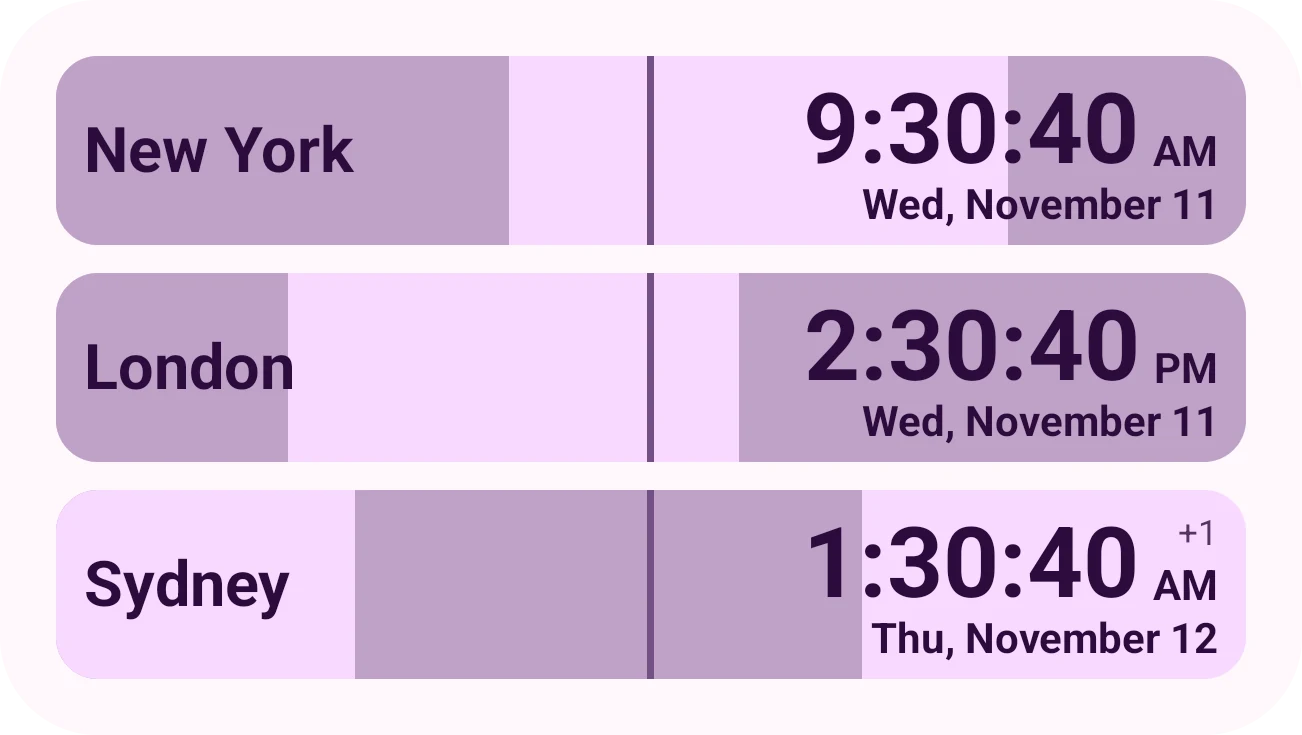
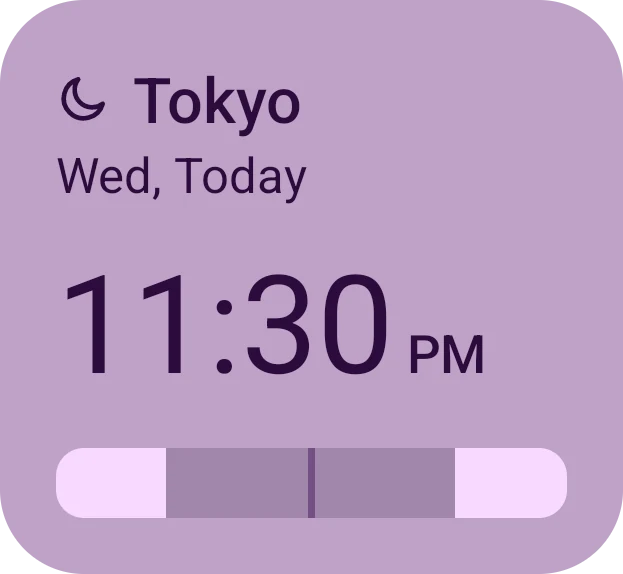
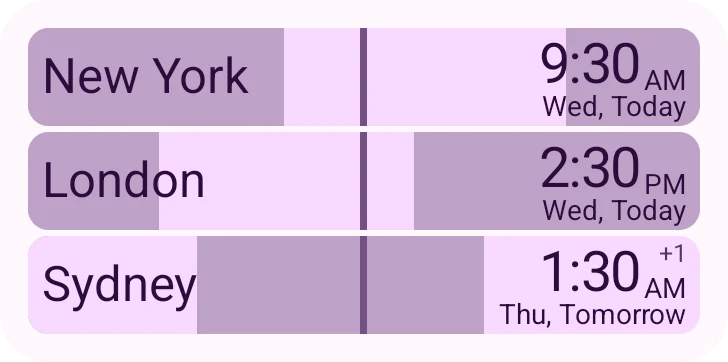
All four resizable widgets match your Material You wallpaper colors in light and dark mode. Tap a theme below to see how they look.

Day & Night Bars · Meeting Planner
Find Overlapping Working Hours Without Mental Math
Use the meeting planner to line up Work, Flex, and Rest hours across time zones. Each city has a 24-hour day and night bar, so nobody gets a 3 AM call.
- Tap "Best Times": Jump straight to green hours where everyone is at work.
- Custom Work Hours: Set one schedule for all cities, or adjust hours per teammate.
- 15 Minutes to 6 Hours: Pick any date and choose the length of your meeting.
Time Zone Converter · Jump to Time
Check the Time for Any Future Flight or Call
Checking when a flight lands next month or planning a call next week? Step ahead in quick increments, or pick a specific date and time in any city.
- Quick 30- and 60-Minute Steps: Step forward or back from the main clock screen, then tap reset to return to now.
- Pick Any Date and City: Choose a time in London, New York, or Tokyo and see what time it will be everywhere else.
- Daylight Saving Time Built In: Pick a date months ahead and see the right local time even after clocks change for the season.

Everyday Tools
Made for Trips, Remote Work, and Family Abroad
Add cities by map or GPS, label clocks for family and teammates, and check the time offline.
Interactive map picker
Tap anywhere on the world map to pick a local time zone, or search thousands of cities by name.
GPS location detection
Use GPS when you land in a new country to add your current city and local time zone right away.
Works offline
Once you save your cities, your clocks, home screen widgets, and meeting planner all work offline.
Material You themes
Your app and widgets match the Material You colors from your wallpaper in light and dark mode.
Custom city labels
Label any clock with a person's name or an office, like "Mom" or "Tokyo Office", next to the local time.
27 languages
Use Timeboard in 27 languages, including Spanish, French, German, Arabic, Hindi, Japanese, and Chinese.
App Screenshots
Take a Closer Look Inside the App
Browse real Android screenshots of the world clock, home screen widgets, meeting planner, and widget setup.
World Clock
24-hour day & night bars
Home Screen
List, Single, Analog, Compact
Meeting Planner
Overlapping work hours
Jump to Time
Any future date & city

Widget Setup
12h/24h, seconds & dates
FAQ
Frequently asked questions
Still curious? Email [email protected] and a real person will reply.
Try it on your phone Free on Google Play · Android 9+
Get it on Google PlayWhat is a good app to find overlapping working hours for remote teams?
Timeboard includes a meeting planner built for remote teams across time zones. You can set working hours for each city and tap 'Best Times' to highlight overlapping working hours in green, so you can schedule calls without waking anyone up early or keeping them late.
What is the best Android world clock widget app?
Timeboard is a free Android world clock widget app rated 4.8 on Google Play. You get four resizable Material You widgets for your home screen, 24-hour day and night bars for every saved city, a time zone converter for future dates, and a meeting planner.
How do I add world clock widgets to my Android home screen?
Install Timeboard from Google Play and save the cities that you want to follow. Then press and hold an empty spot on your Android home screen, tap 'Widgets', find Timeboard, and drag a List, Analog, Single, or Compact widget onto your screen. You can choose the cities, 12-hour or 24-hour format, seconds, and date for each widget.
What features does Timeboard world clock widget offer?
You can check local times across cities with 24-hour day and night bars, and place four styles of resizable Material You widgets on your Android home screen. Timeboard also includes a meeting planner for overlapping working hours, Jump to Time for future dates, an interactive world map and GPS picker, custom clock labels, and offline support.
Is Timeboard good for travelers who need multiple timezone tracking?
Yes. When you land in a new country, you can add your current city with GPS so you have the local time zone right away. Your saved cities and Android home screen widgets keep working offline on flights, and you can open Jump to Time to check what time it will be back home when your plane lands.
Does Timeboard support Material You design?
Yes. Both the app and all four world clock widgets use Material You dynamic colors from your Android wallpaper, and they switch between light and dark mode with your phone.
Can I use world clock widgets without internet connection?
Yes. Once you have added your cities, your world clock widgets, 24-hour day and night bars, and meeting planner all work offline without an internet connection. You only need internet when searching for a new city by name or opening the online map.
Can I see what time it will be in another city on a future date?
Yes. Tap the 30- or 60-minute buttons on the main screen to step forward or back, or open Jump to Time to pick a calendar date and time in any city. You will see the corresponding local time in all of your saved cities, including any Daylight Saving Time changes on that date.
How do I add a city or location to Timeboard?
You can search for a city by name, tap a spot on the interactive world map, or use GPS to add your current location and local time zone. Once a city is saved, you can add a label like 'Mom', 'Client', or 'Tokyo Office' so each clock is easy to spot.
Which widget styles and sizes does Timeboard offer?
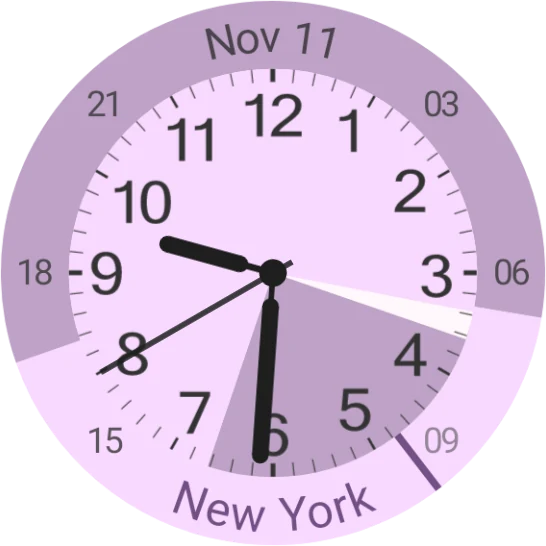
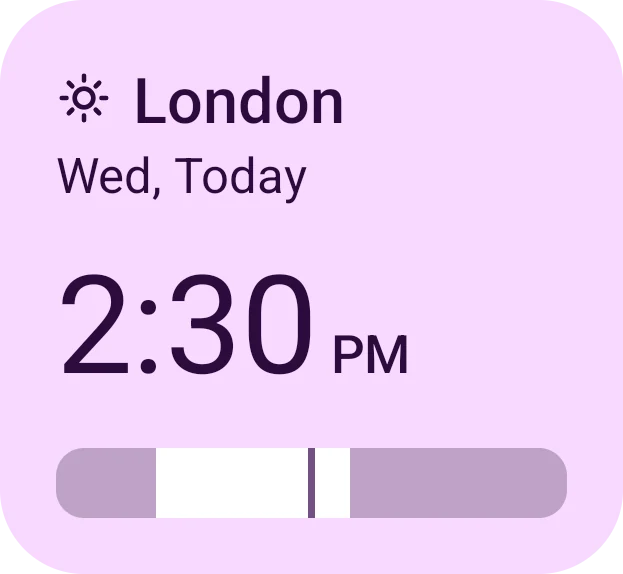
Timeboard comes with four resizable Android home screen widgets. List (4×2) compares cities side by side, Analog (2×2) adds a 24-hour day and night ring around a clock face, Single (2×2) tracks one city, and Compact (2×1) fits tight rows. All four match your Material You wallpaper colors in light and dark mode.
Is Timeboard free to download?
Yes. Timeboard is free to download on Google Play for phones and tablets running Android 9 or newer. If you enjoy using the app and want to support ongoing updates, optional supporter tips are available inside Settings.
What languages is Timeboard available in?
You can use Timeboard in 27 languages: Arabic, Bengali, Chinese (Simplified and Traditional), Czech, Dutch, English, French, German, Greek, Hindi, Hungarian, Indonesian, Italian, Japanese, Korean, Malay, Polish, Portuguese (Brazil and Portugal), Russian, Spanish, Swedish, Thai, Turkish, Urdu, and Vietnamese.
Put the whole world on your home screen
Download Timeboard free on Google Play for Android 9 and up, with resizable Material You widgets, 24-hour day and night bars, and a meeting planner for overlapping hours.